
Bulutlar Hub · 2026
All operations, one system.
Orders, production, stock, purchasing, B2B and finance — shown with real screens.
hub.bulutlarmobilya.com
Dashboard
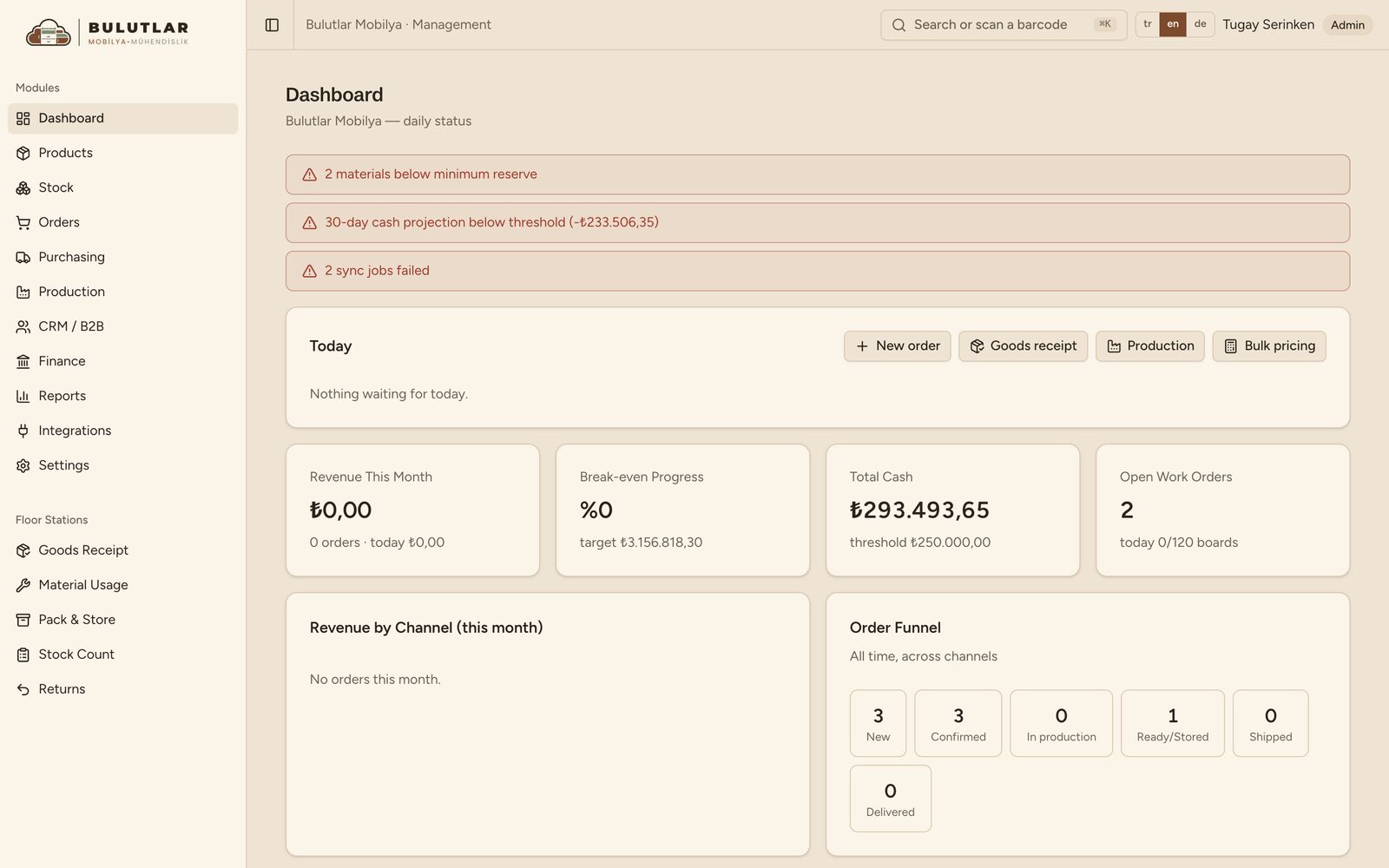
The day at a glance
What needs attention is visible the moment you open it.
- Alerts for minimum stock, the cash threshold and sync errors
- A Today card with quick actions
- Revenue, break-even, cash and open work orders
Every alert links to the page that fixes it.
Search
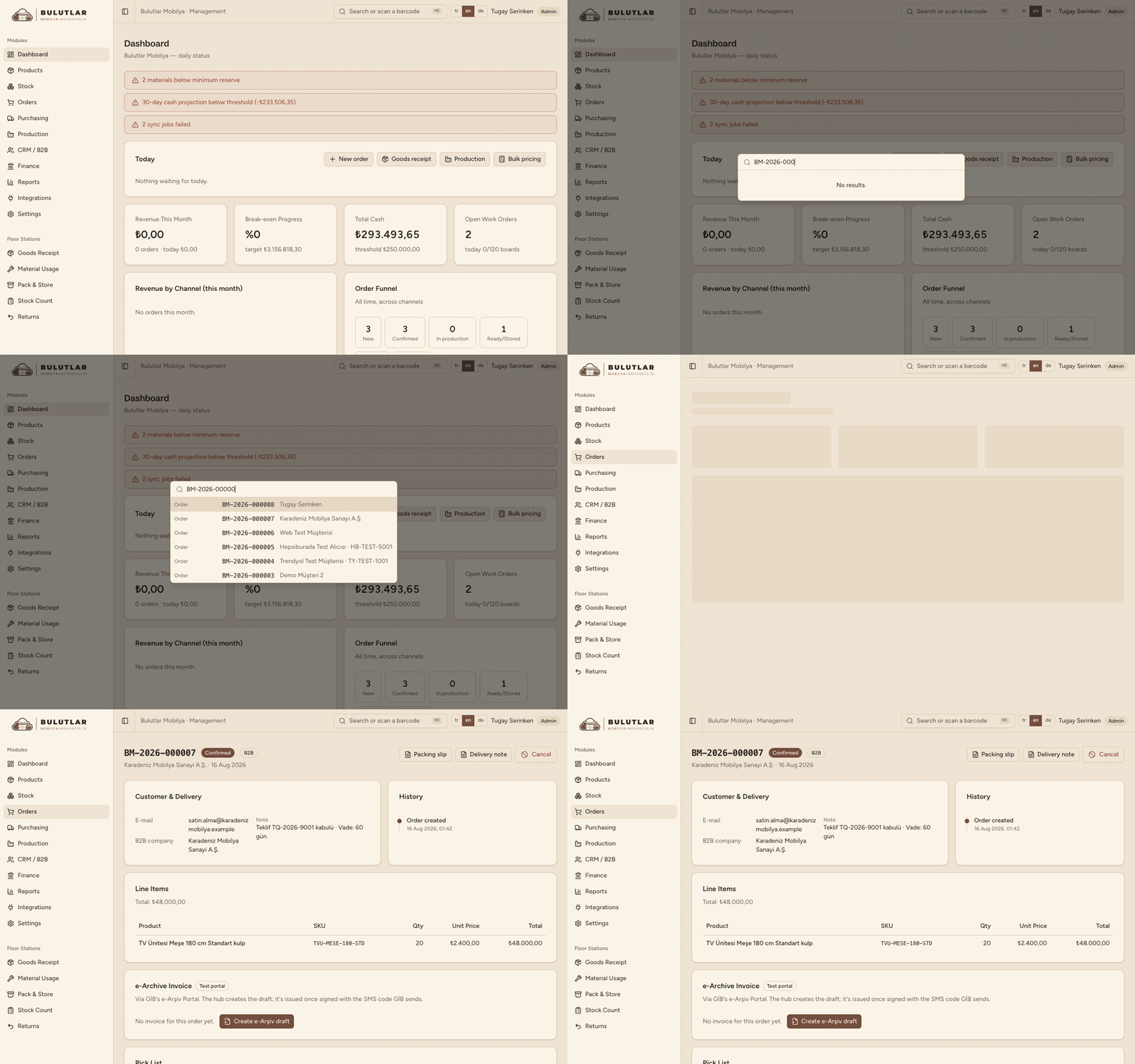
Find anything with ⌘K
Number, name or barcode — from any page.
 Real recording
- Orders, products, materials, work orders, purchase orders
- Scanning a barcode jumps straight to the record
- ⌘K / Ctrl+K works on every page
Recorded: type an order number, pick the result, the order opens.
Orders
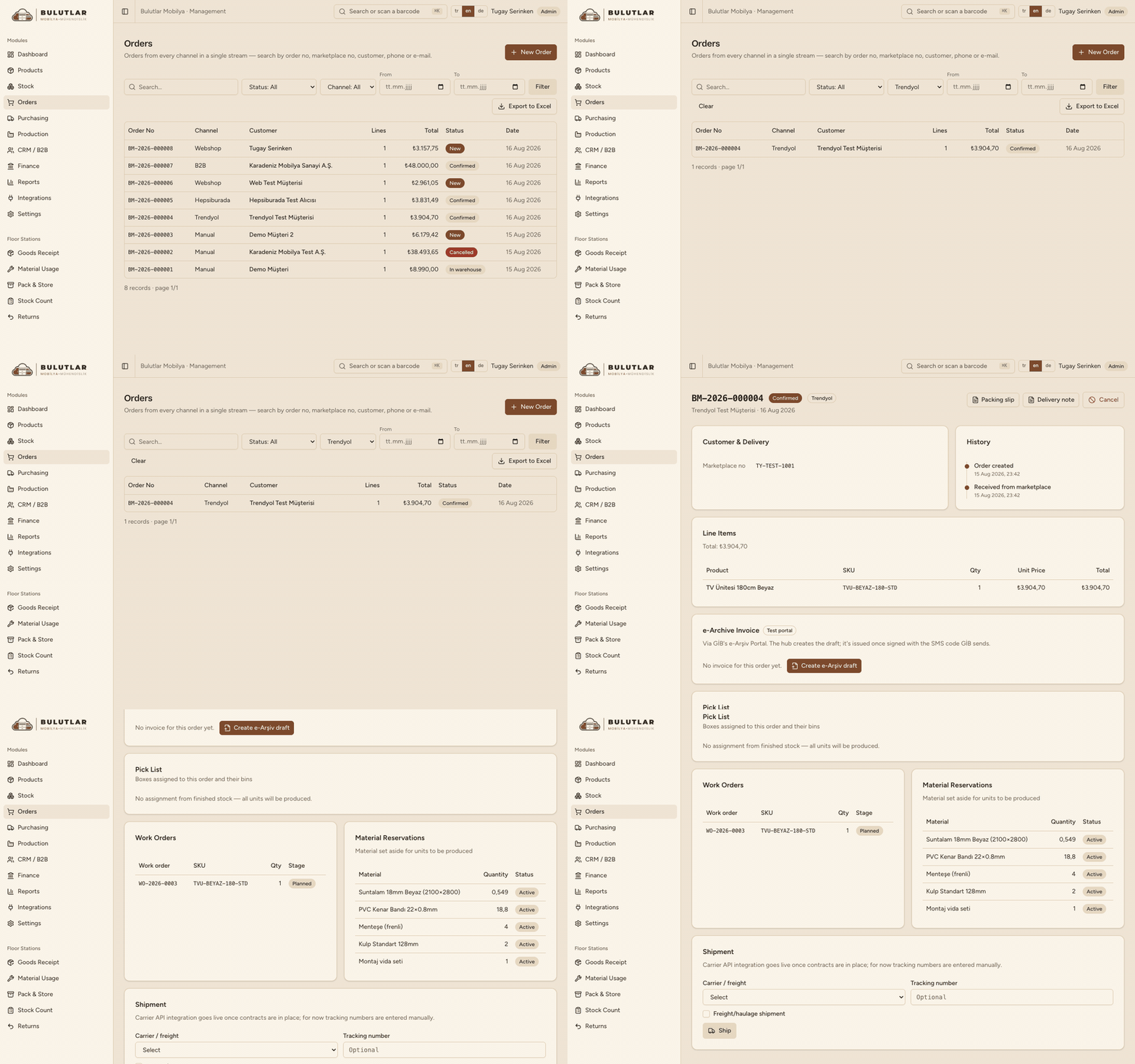
All channels, one list
Trendyol, Hepsiburada, webshop, B2B and manual orders.
 Real recording
- Filter by channel, status and date
- History, pick list, work orders and shipping on one page
- Export the filtered list to Excel
Marketplace orders are pulled automatically every 5 minutes.
Products
Configurable products, automatic BOMs
One model, every colour, size and handle combination.
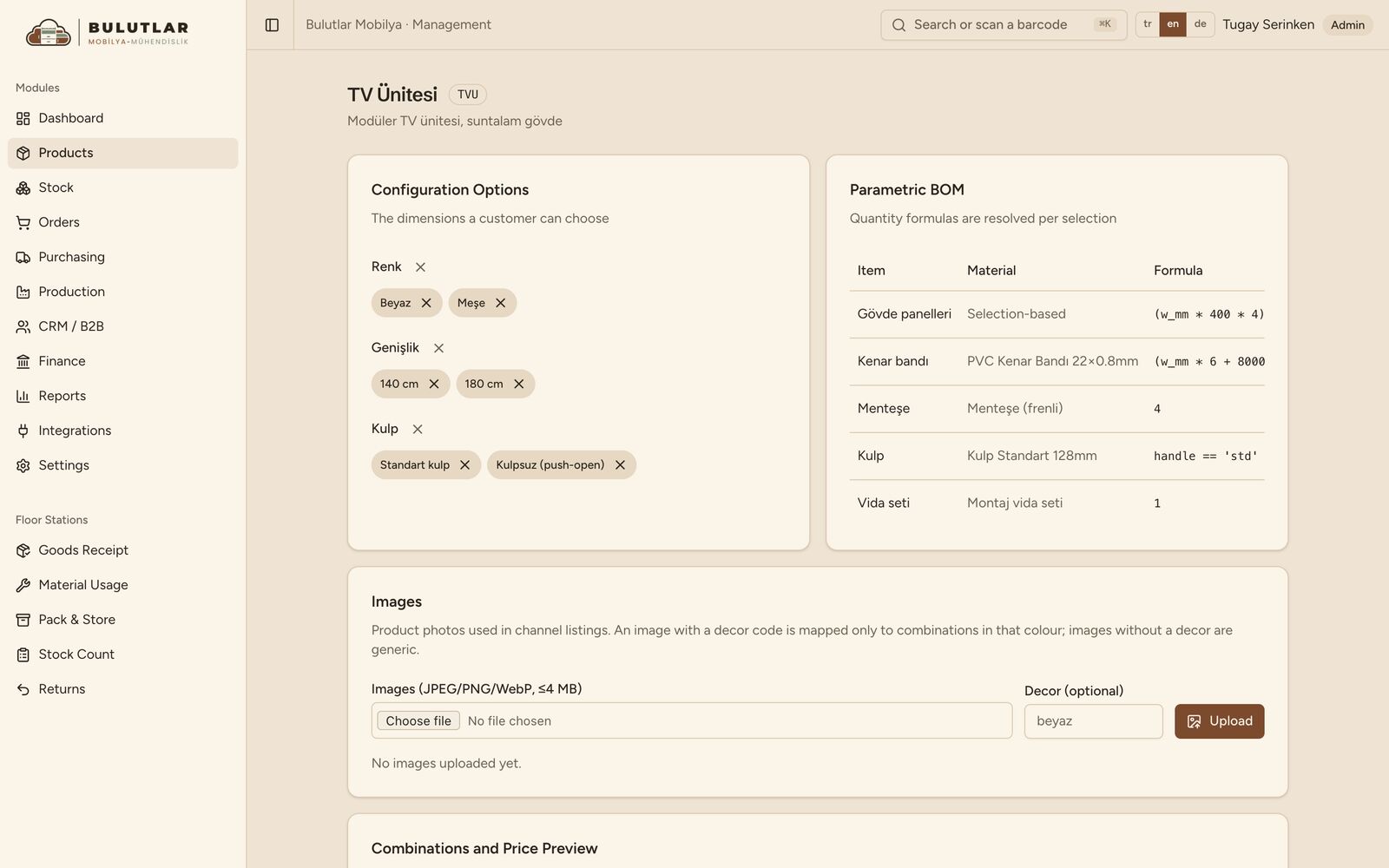
- Options: colour, width, handle
- A parametric BOM resolves every combination
- Cost and channel prices are calculated
Bulk Pricing pushes calculated prices to every channel in one click.
Production
Planning against capacity
Demand stock can't cover is scheduled against daily board capacity.
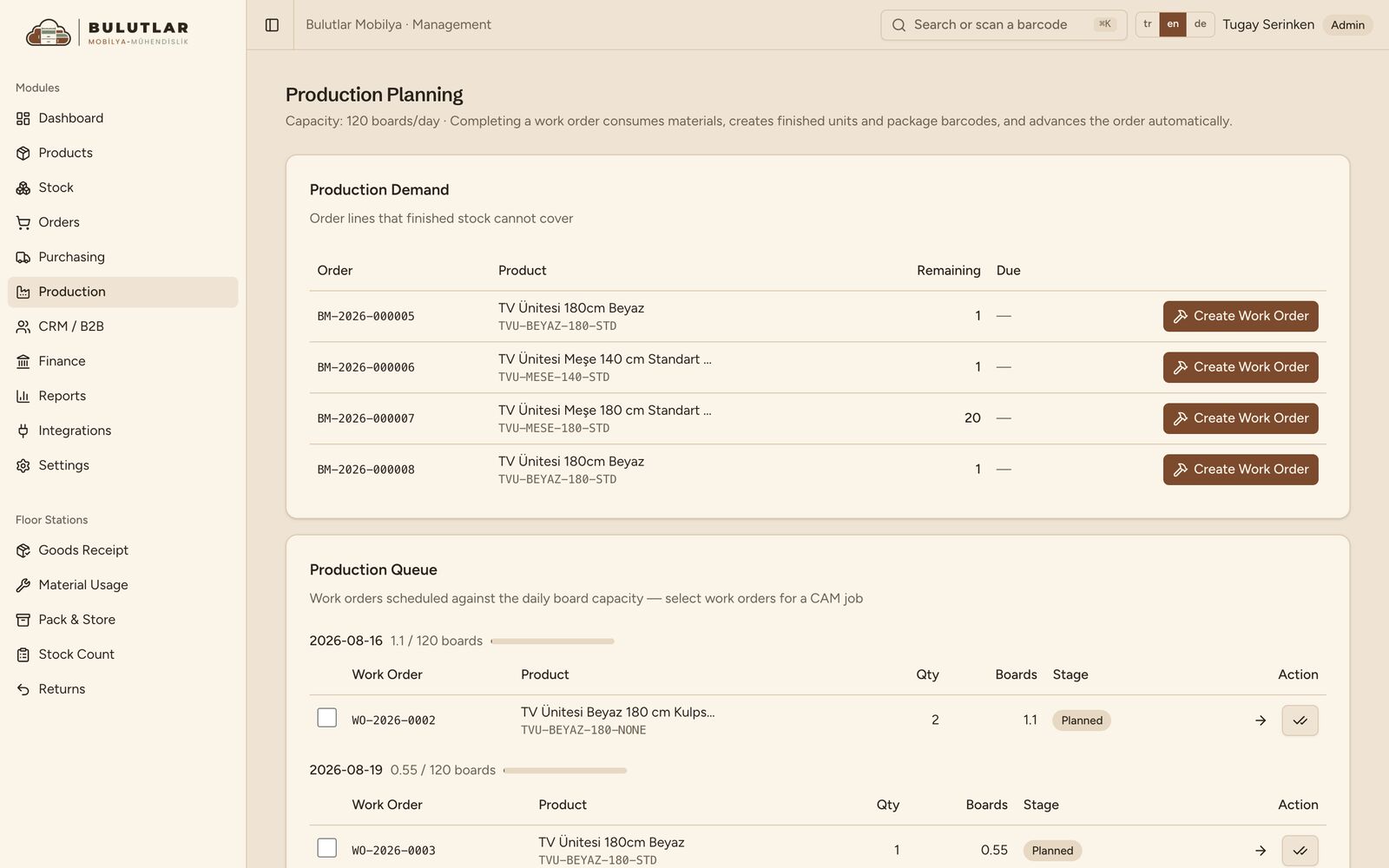
- Production demand is listed automatically
- Work orders are spread across days
- A CAM job is created from selected work orders
Capacity is set per date in Settings.
Work orders
Production stage by stage
Every work order is tracked from cutting to packing.
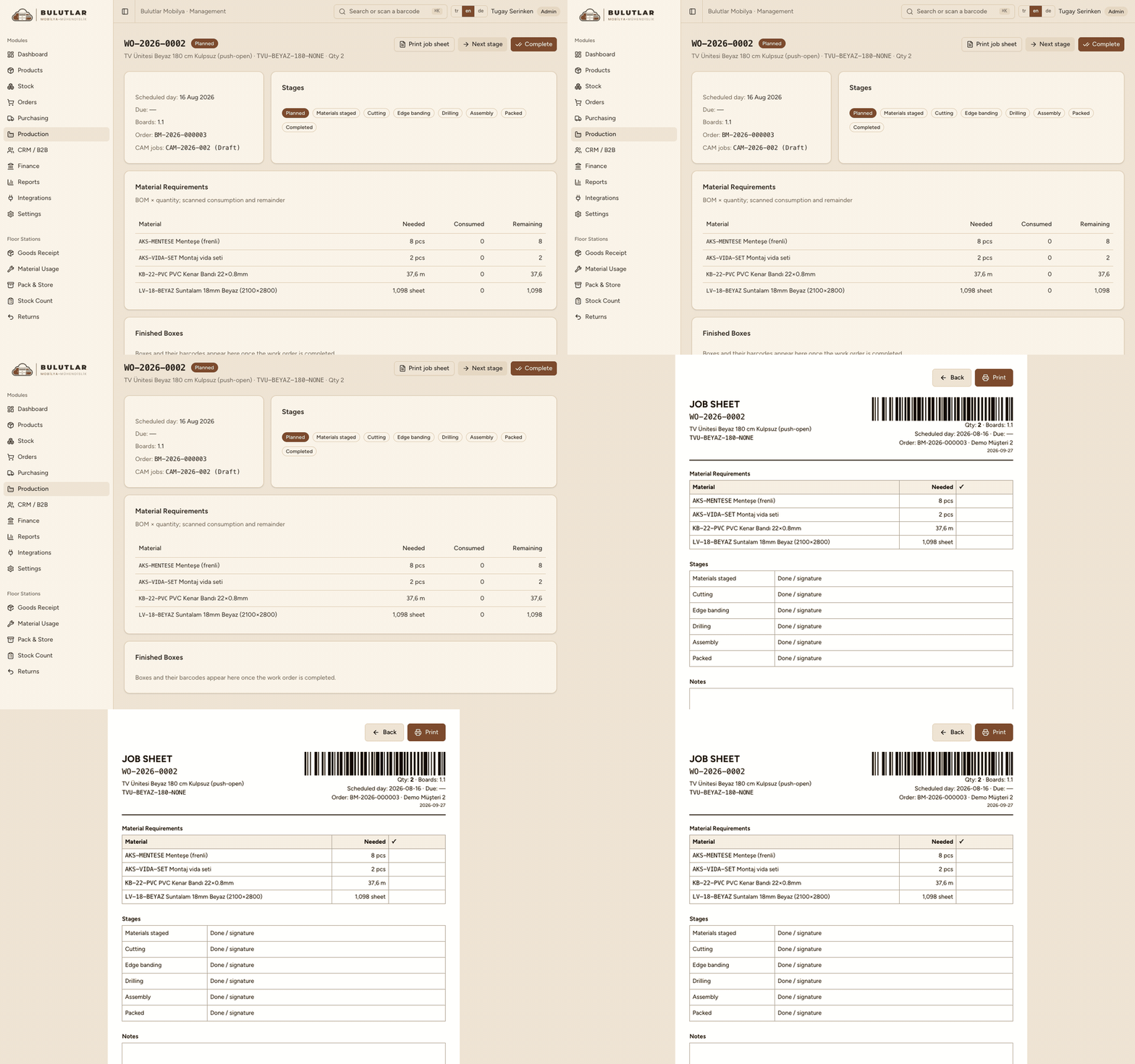 Real recording
- Material needs and scanned consumption
- A barcoded job sheet prints
- Complete: materials are consumed, box barcodes created
CAM
ADekoCAM jobs
Work orders are grouped into a CAM job; the .anc program is archived.
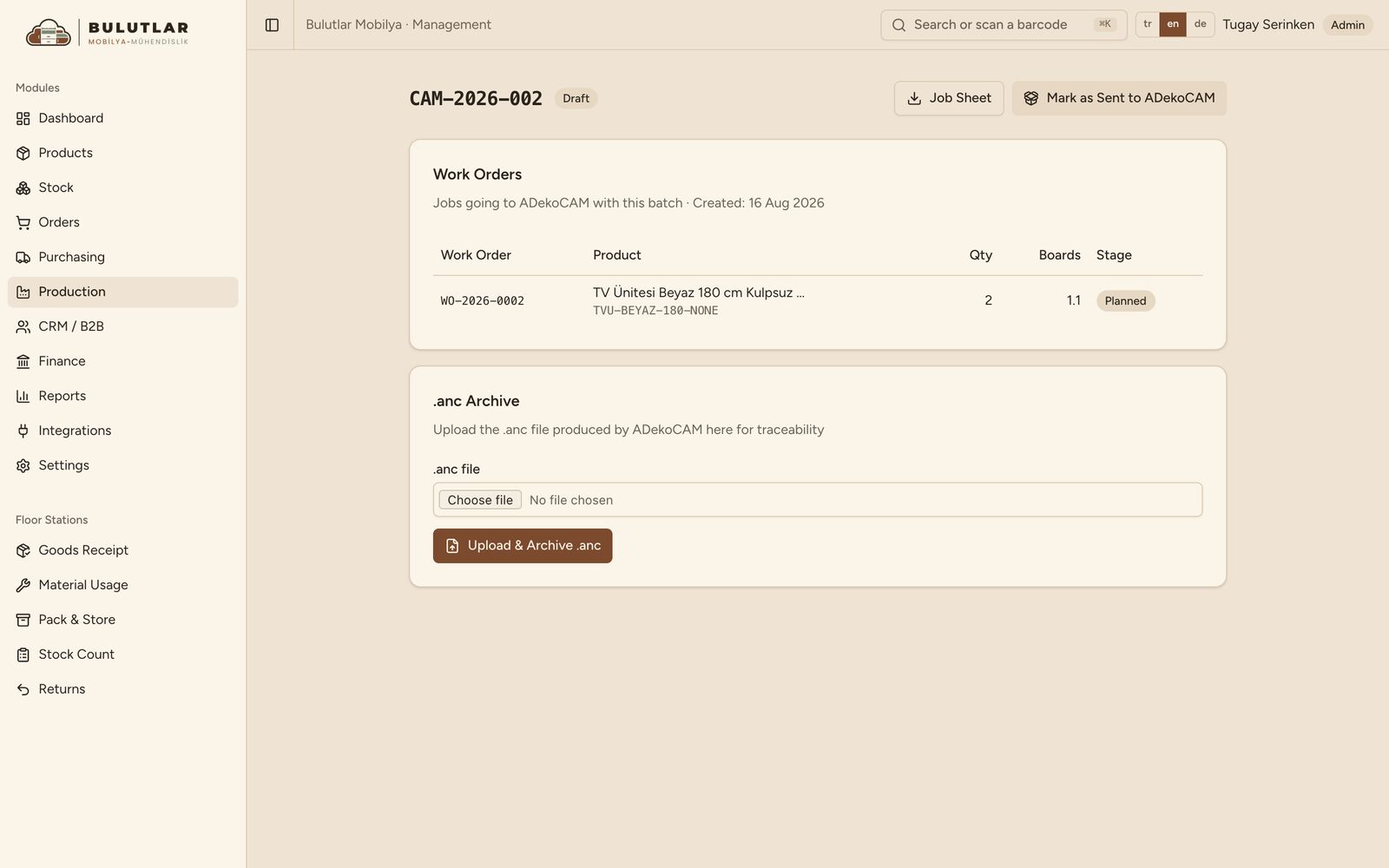
- Job sheet: SKUs, quantities, boards needed
- Mark as sent to ADekoCAM
- The .anc archive is always downloadable
The factory agent carries the files — next slide.
ADeko bridge
From the hub to the CNC, no USB stick
Illustrative animation — built from the real hub screens and the agent's real messages.
Floor stations
Phone + barcode scanner
Scan, move to the next field, save.
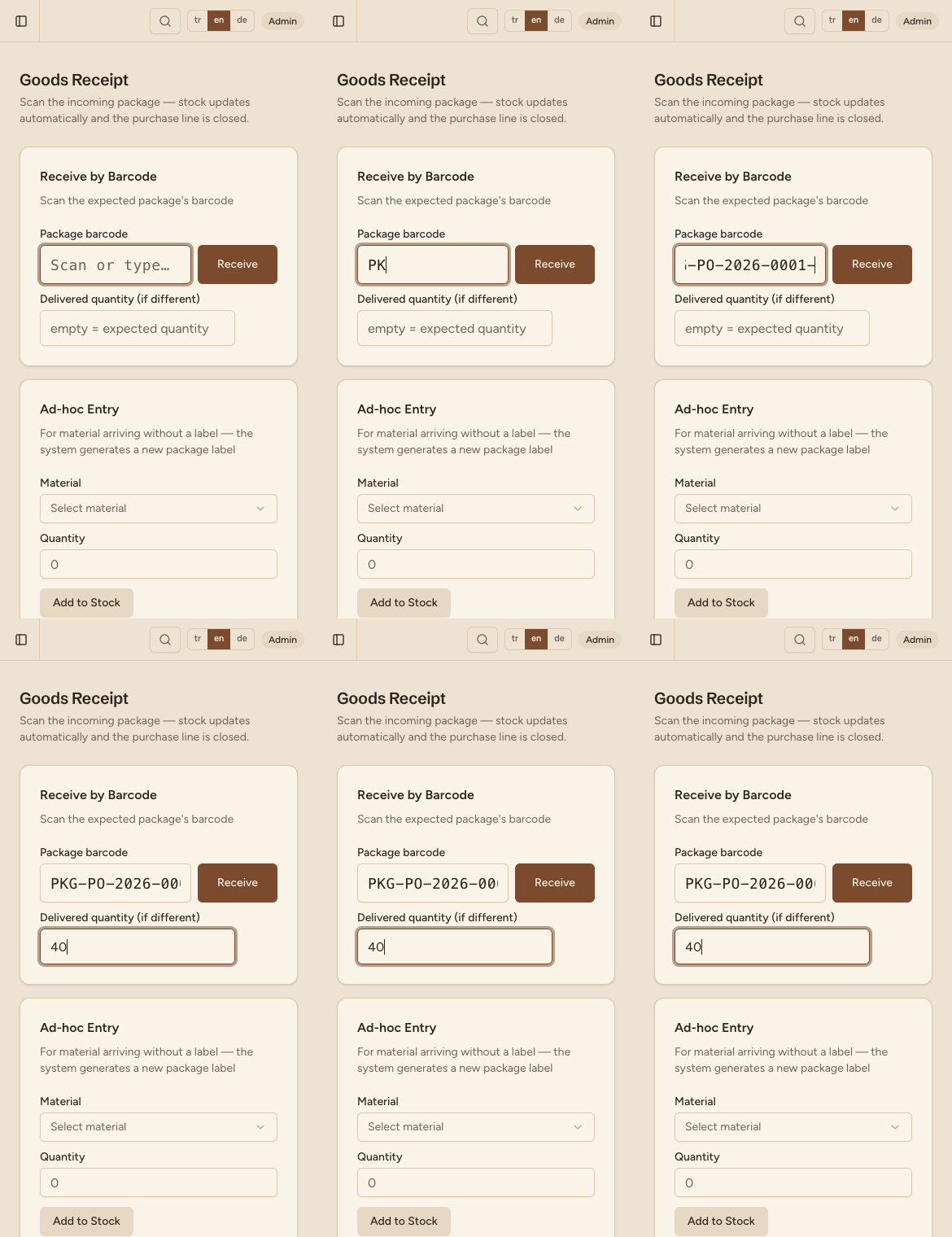
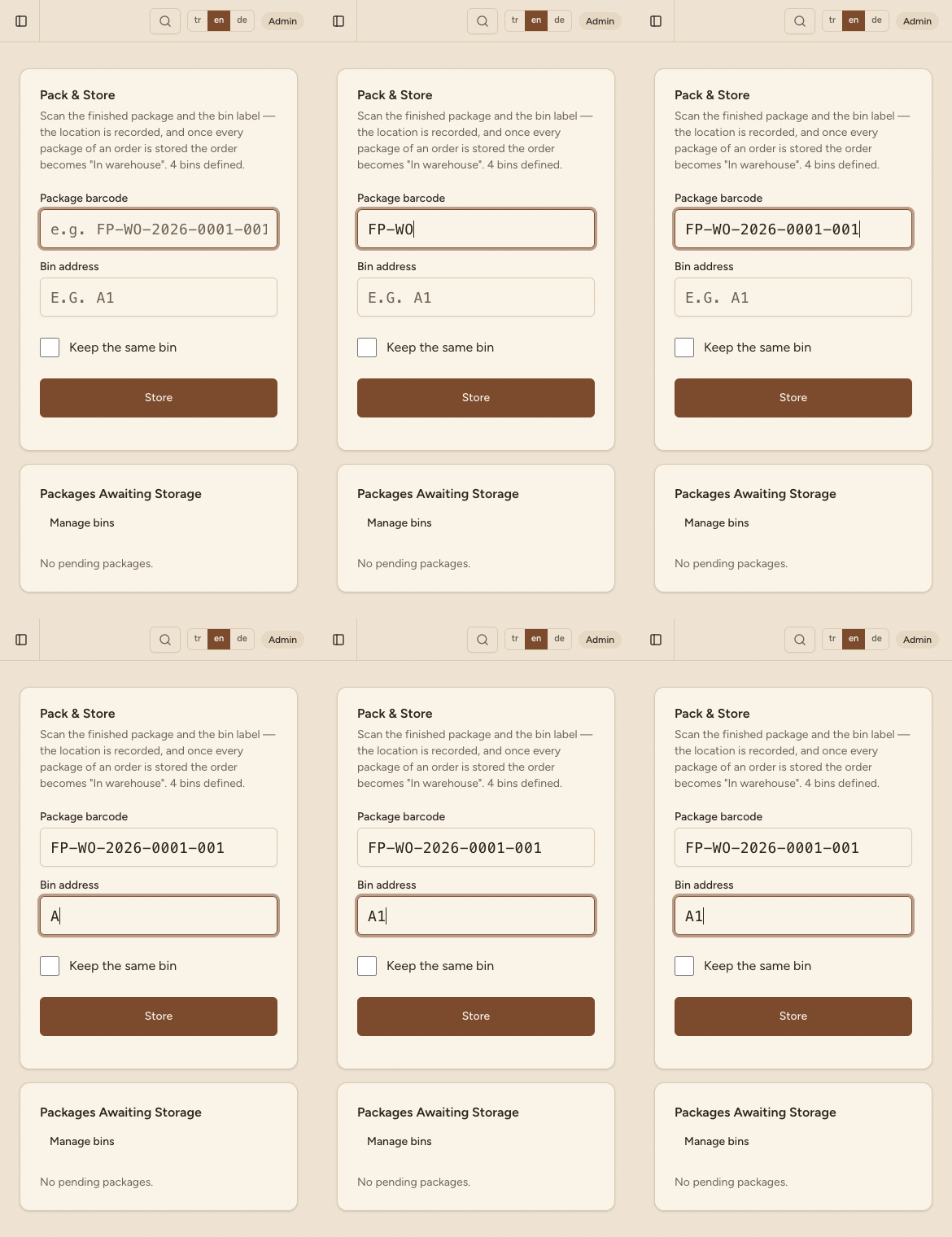
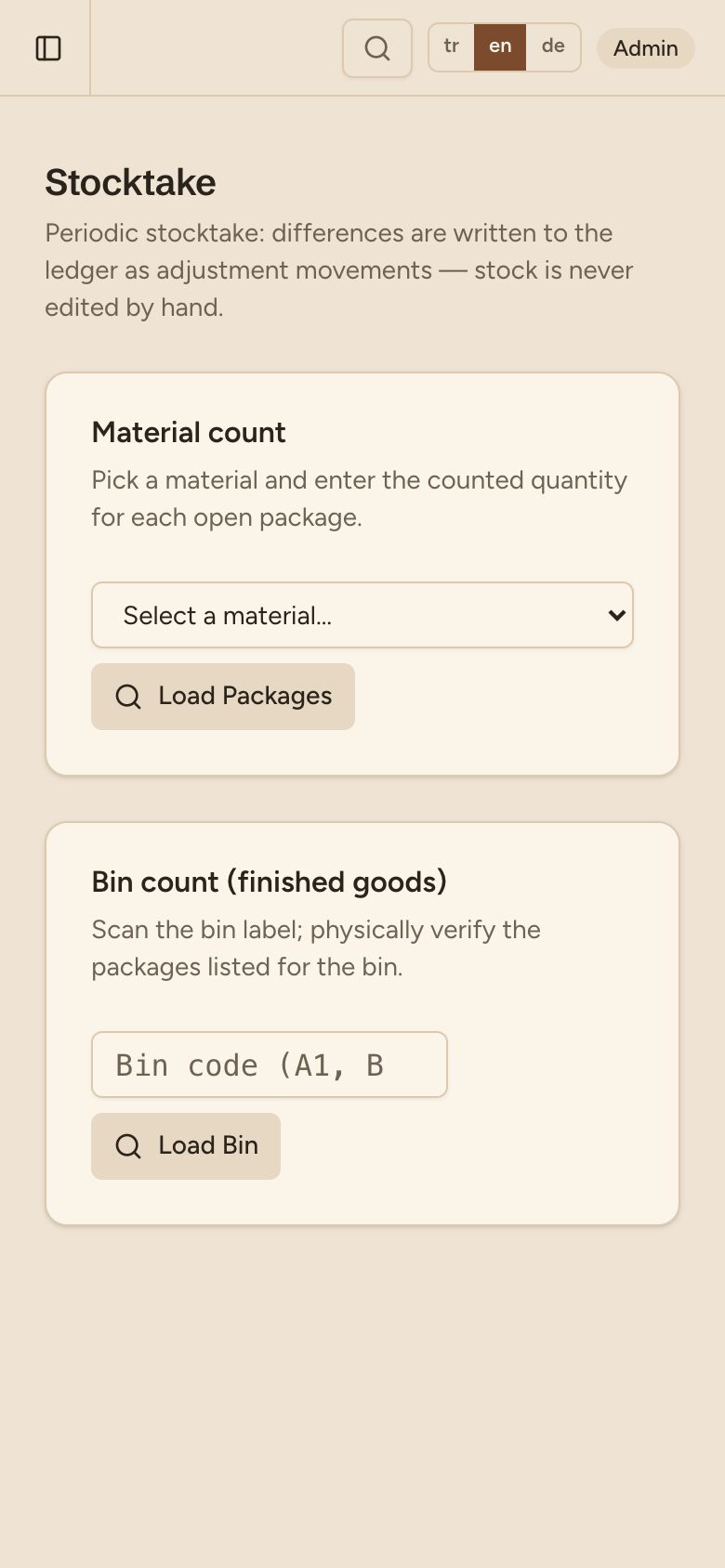
- Goods receipt, material usage, packing, counting, returns
- Enter moves to the next field; the last scan saves
- A beep and a coloured confirmation band
Stock
Every movement on record
Stock is never edited by hand; the ledger explains every number.
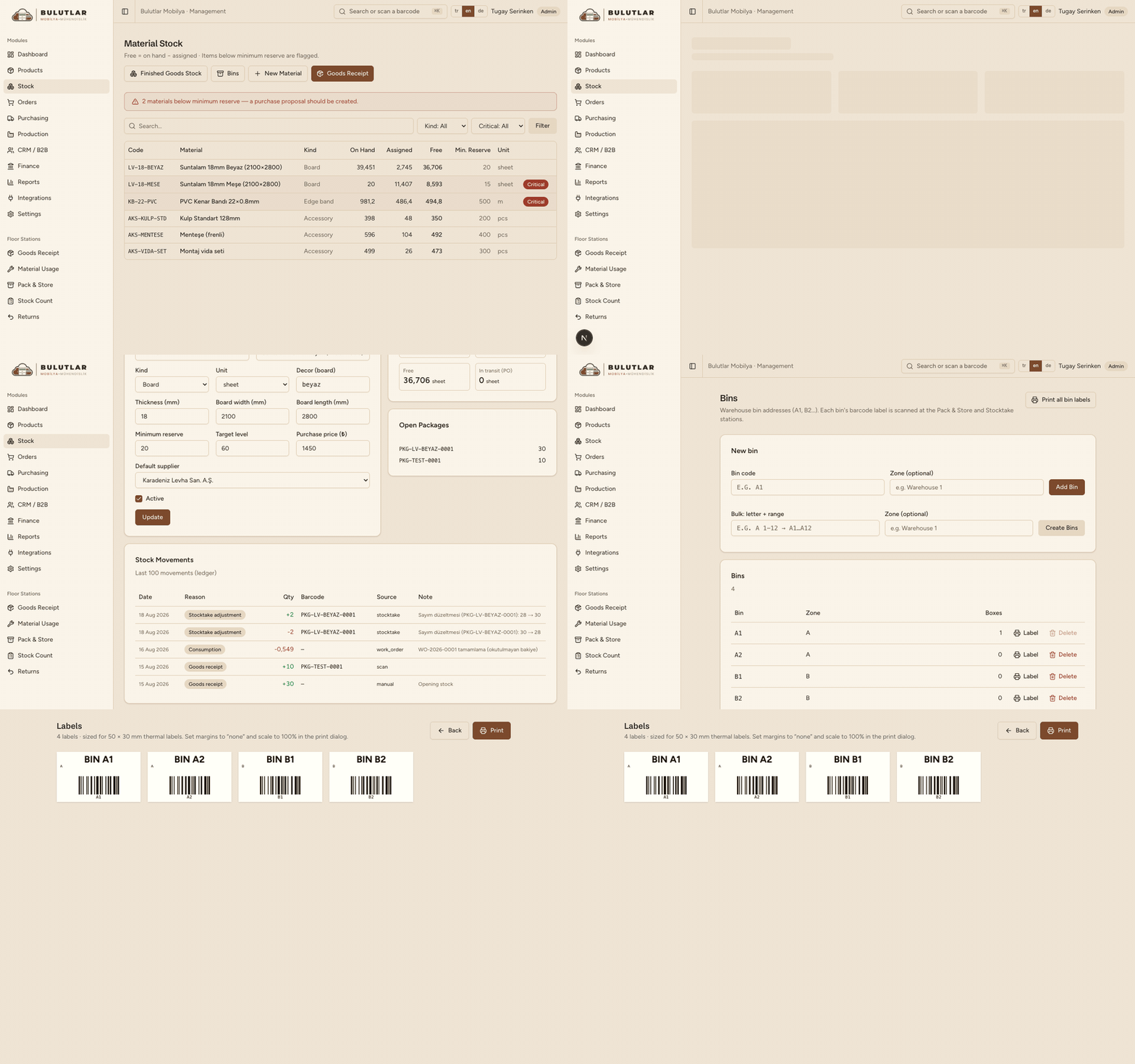 Real recording
- On hand, reserved, free and minimum
- Packages, bins and barcode labels
- Blind counts and the returns flow
Recorded: material list → movement ledger → bins → bin labels.
Purchasing
From suggestion to receipt
Minimum stock, the supplier portal and barcode receiving.
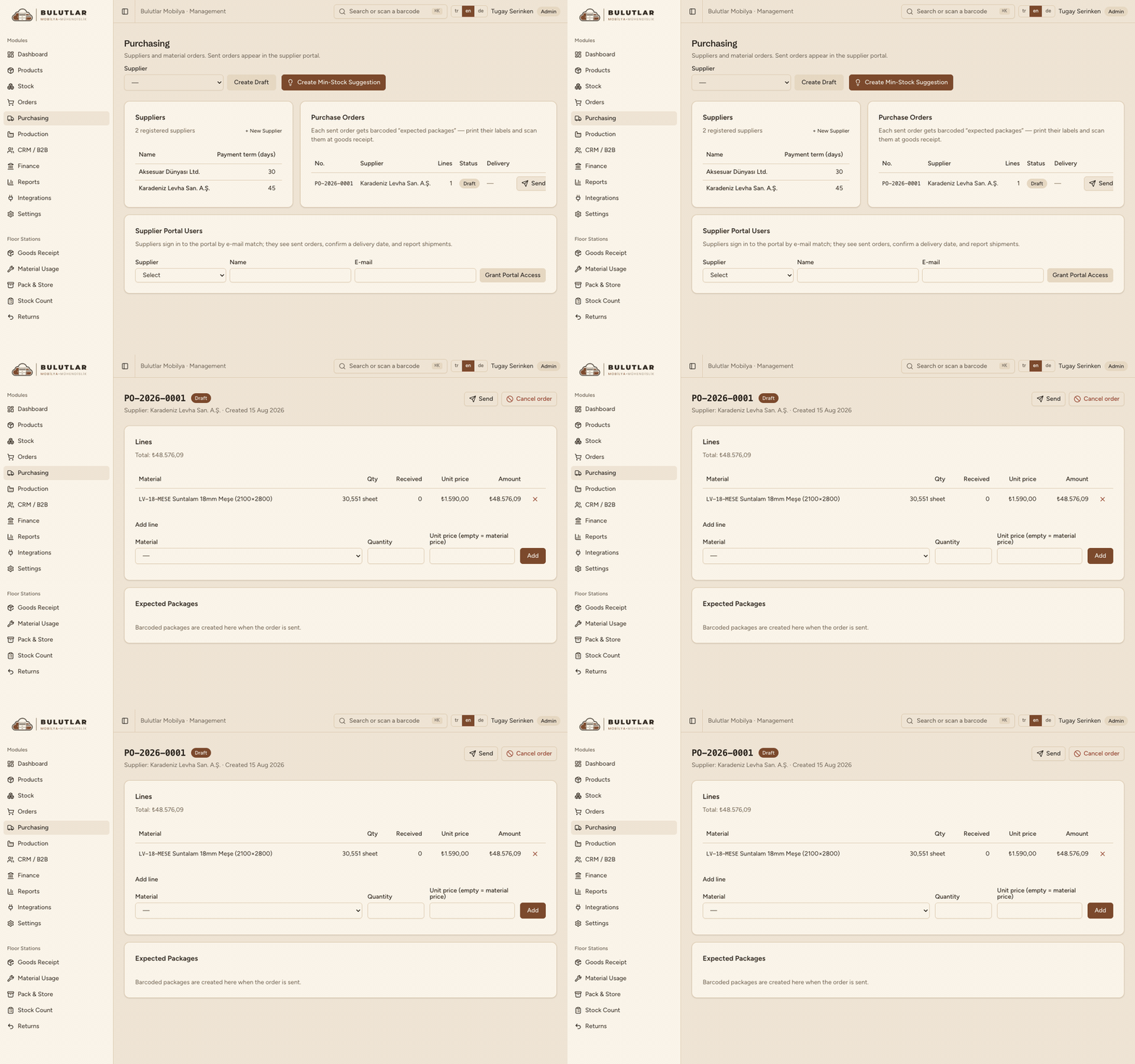 Real recording
- Draft orders from minimum-stock suggestions
- Suppliers confirm, ship or reject in their portal
- Receive by scanning the expected packages
Supplier invoices arrive with a PDF and go straight to payables.
CRM & B2B
Companies, quotes and prices
Quotes and price lists for business customers.
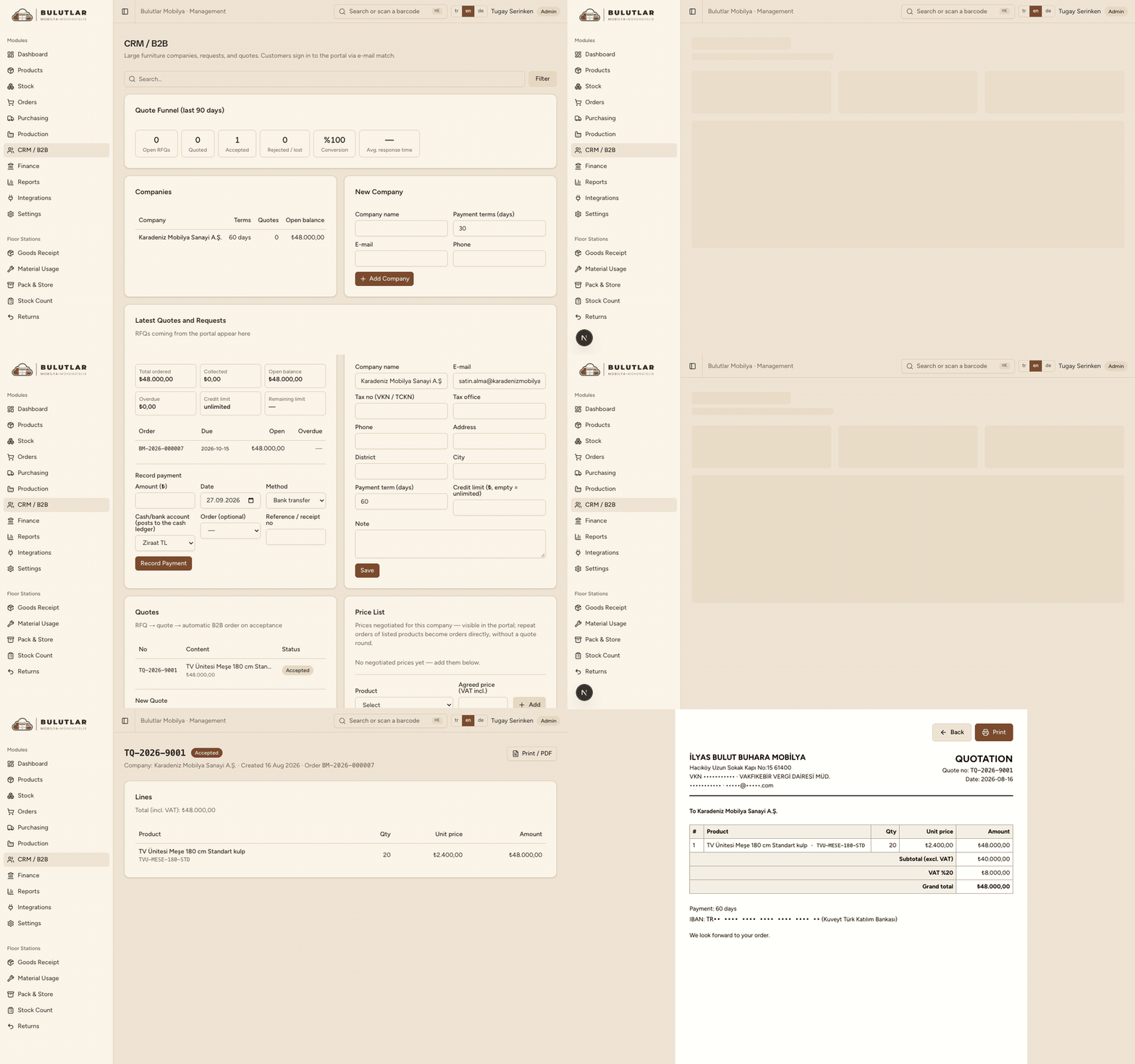 Real recording
- Request → quote → automatic B2B order
- Price lists and credit limits
- A branded quote PDF in one click
An accepted quote becomes an order automatically.
B2B portal
Through the customer's eyes
Customers see their own account, quotes and orders.
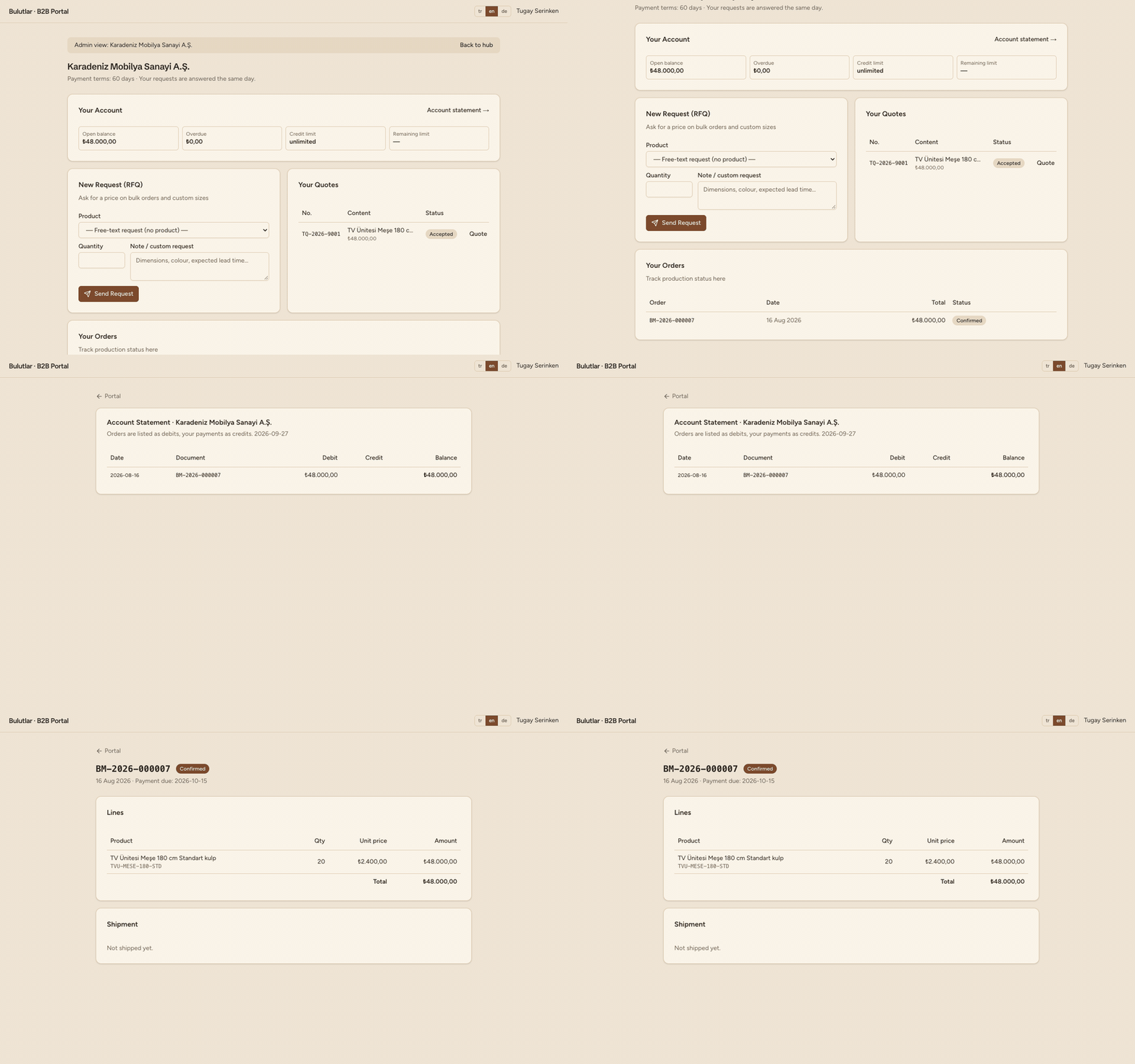 Real recording
- Balance, credit and due dates
- Send requests and accept quotes
- Account statement and order tracking
Admins can open any customer's portal read-only.
Finance
Cash and profitability, live
30-day flow, payables and receivables, profit and loss.
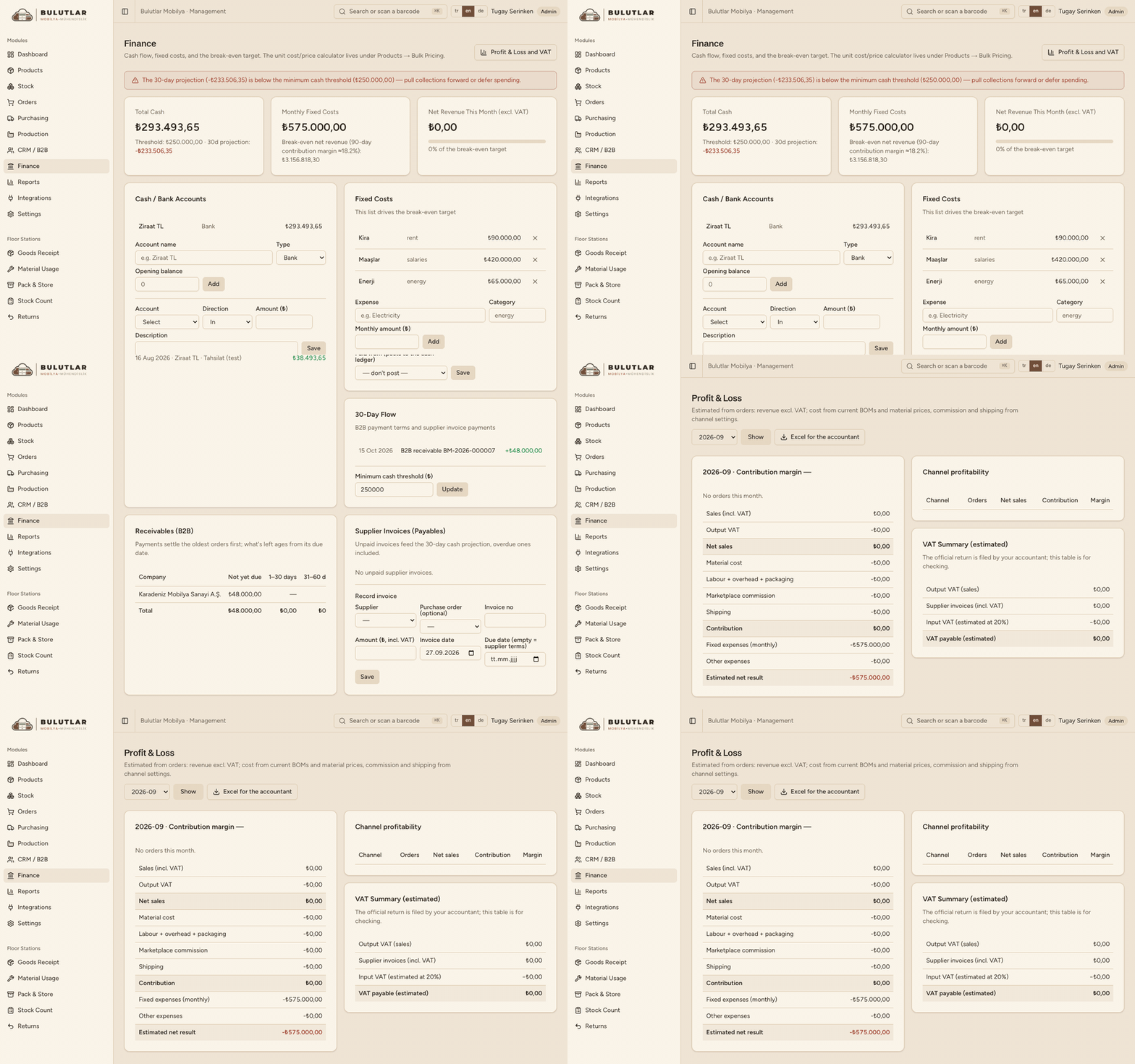 Real recording
- Cash flow and threshold alerts
- Receivables ageing and supplier payables
- P&L, VAT summary and an accountant export
Figures are management estimates; the official return stays with the accountant.
Reports
Channel profitability and performance
Realized results for any period.
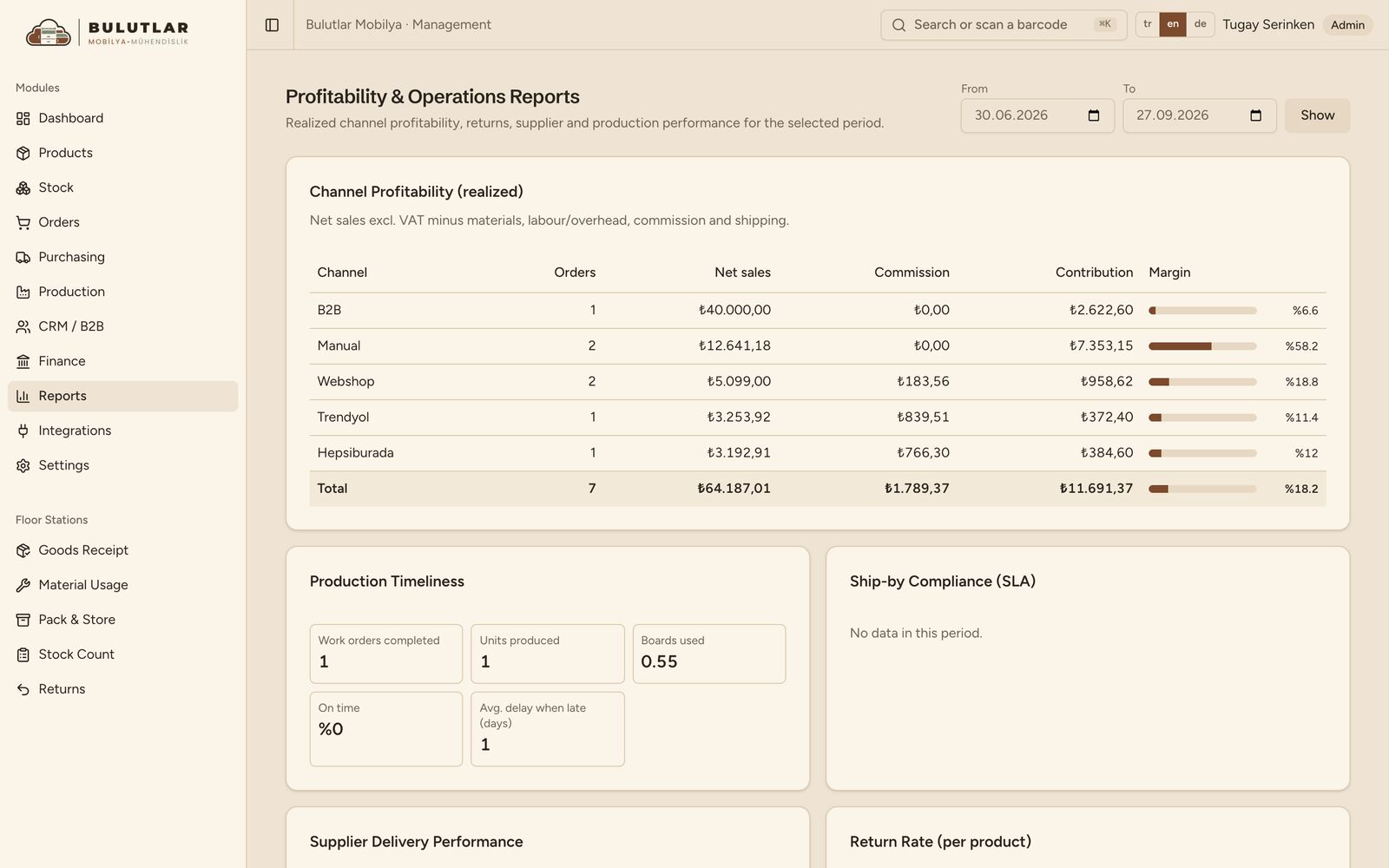
- Realized margin per channel
- Production timeliness and ship-by SLA
- Supplier delivery and return rate
Every table exports to Excel.
Integrations
Marketplaces on autopilot
Orders, stock and prices sync by themselves.
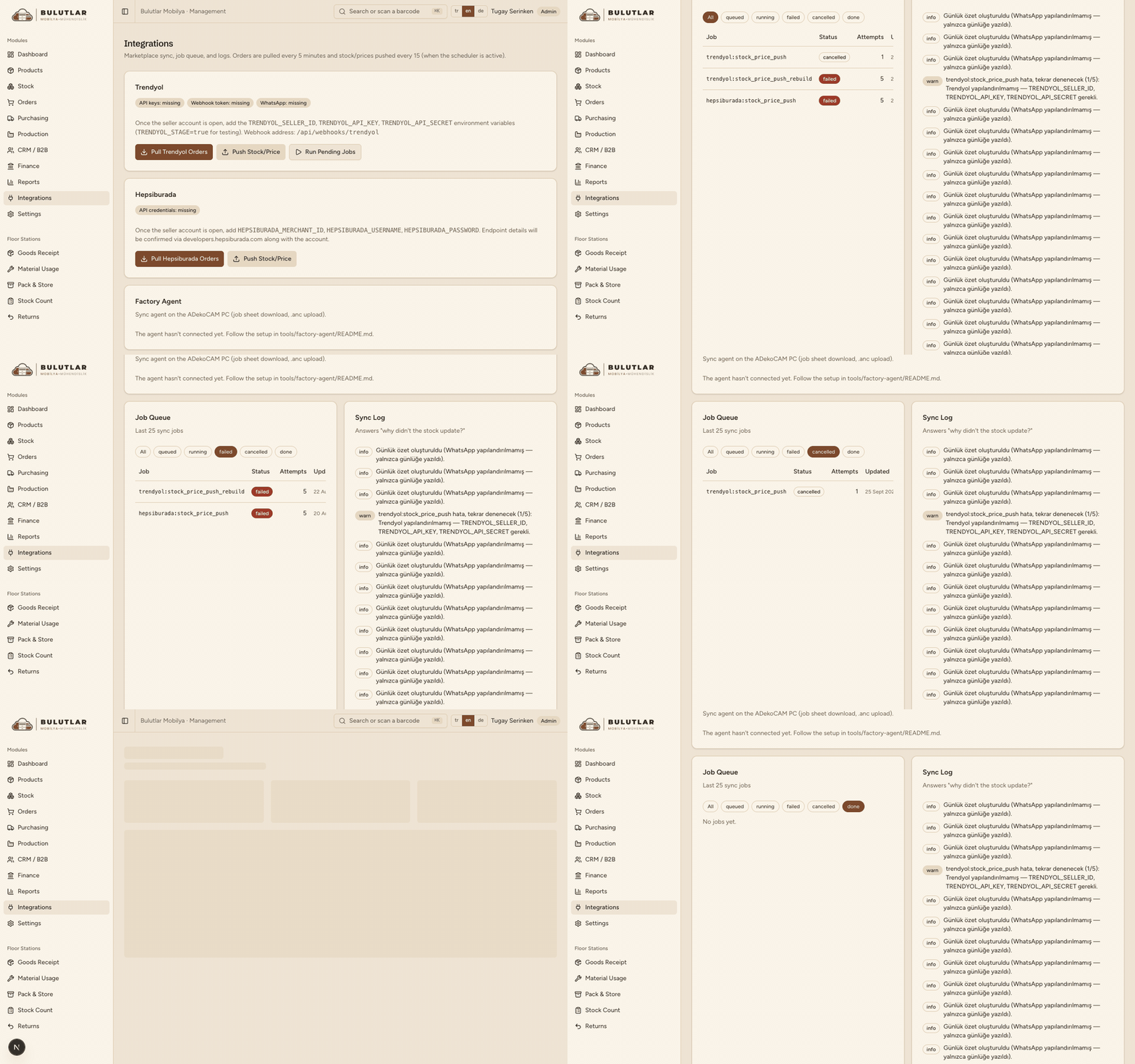 Real recording
- Job queue: retry and cancel
- The factory agent's status
- WhatsApp alerts and a daily digest
Settings & audit
Who did what, and when
Every business event is recorded with user and time.
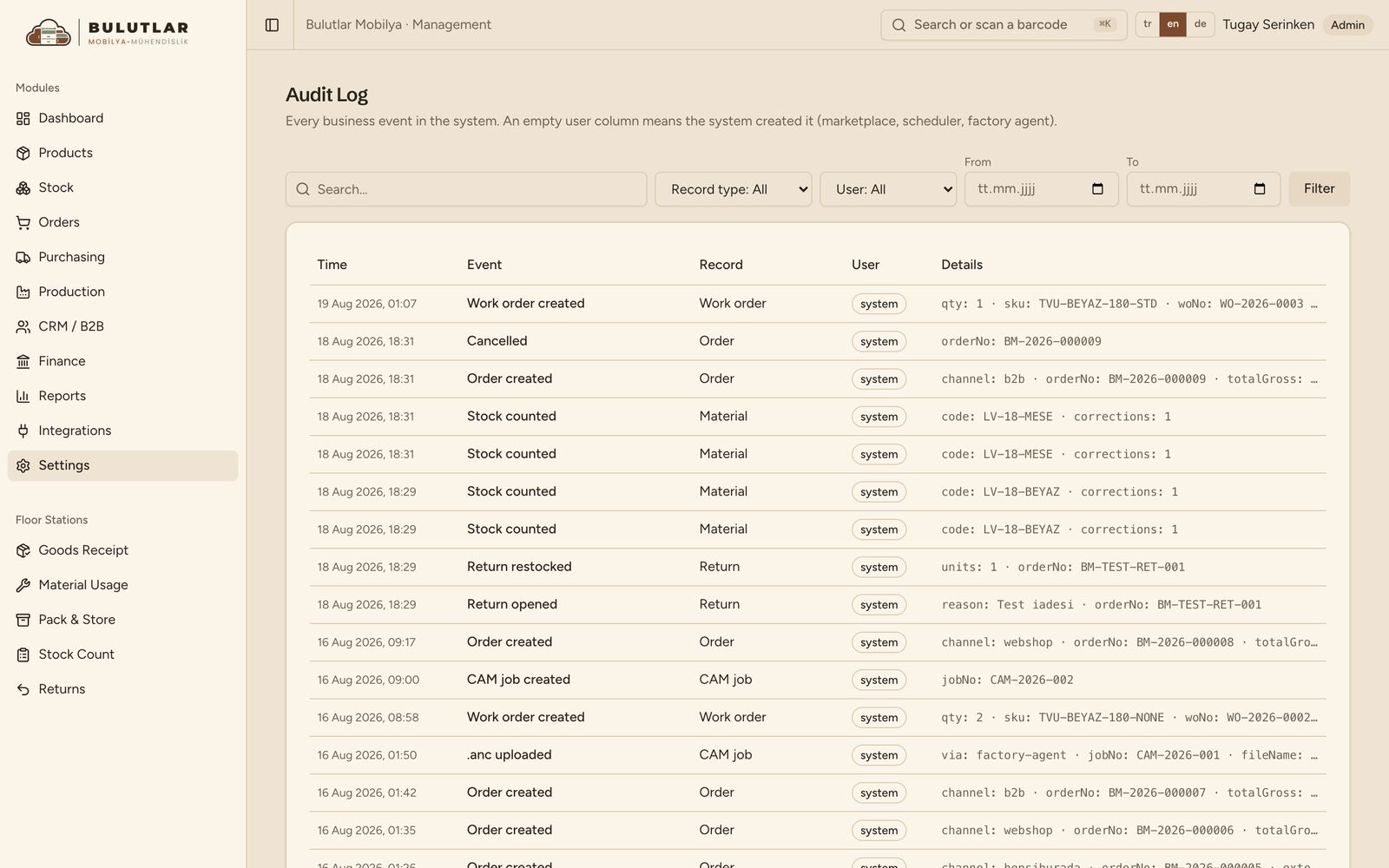
- Channel rules, capacity, users
- Notification rules and WhatsApp templates
- Audit log filtered by record type, user and date
An empty user means the system did it.
Languages
Turkish, English, German
Everyone works in their own language.
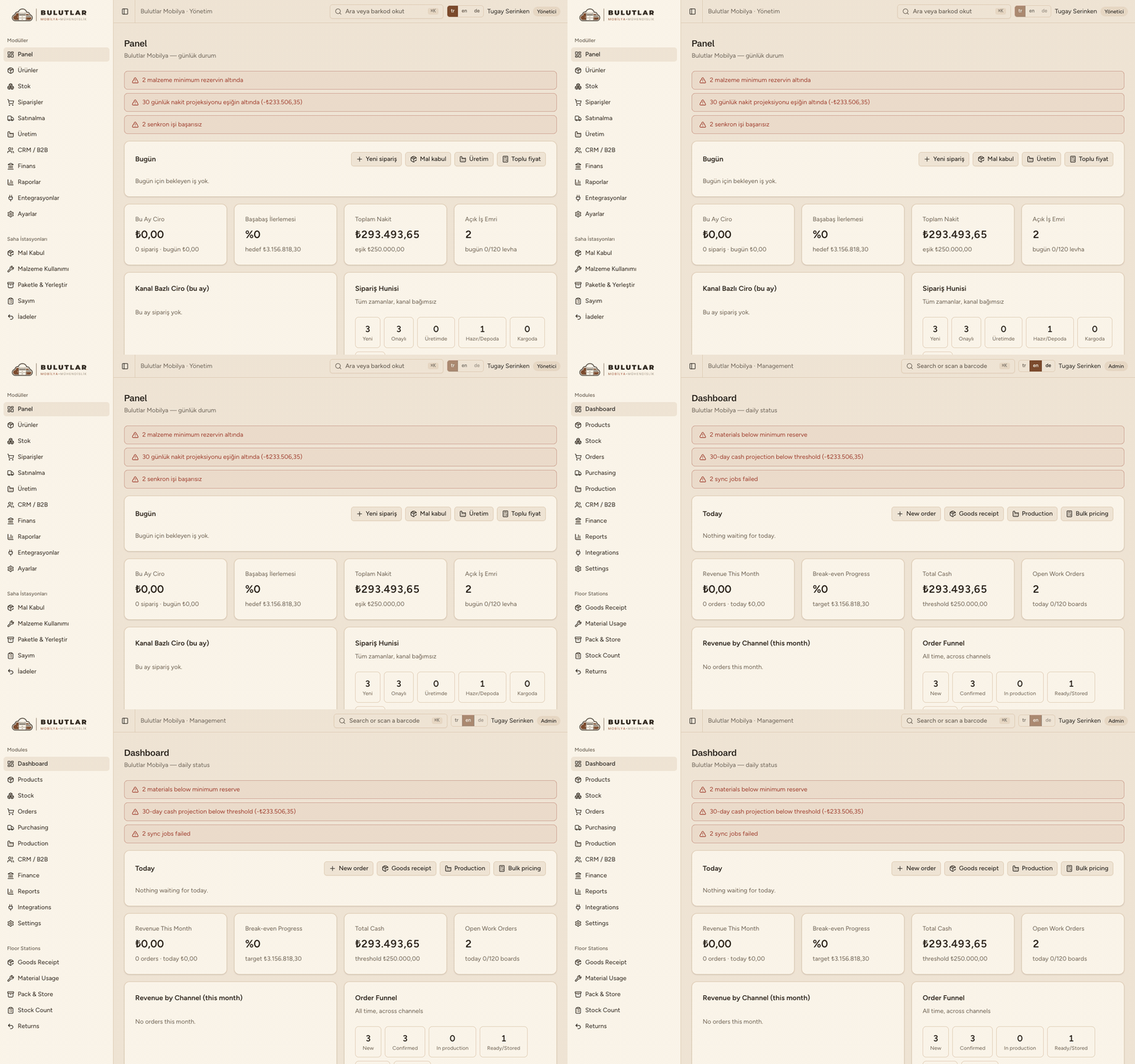 Real recording
- Switch language in one click
- The choice is remembered per device
- Documents and portals are multilingual too
User guides are ready in all three languages.